


![Roblox Auruzz RNG [RE-RELEASE]](https://screenplaysmag.com/wp-content/uploads/2025/06/Auruzz-RNG.png "Auruzz-RNG")
HIGHLIGHTS
- Active Codes in Roblox Auruzz RNG offer multiple free rewards, including Golds and Heaven Pots.
- To redeem codes in Auruzz RNG, you need to click on the settings icon on the left side of the in-game menu and enter the codes in the box.
- The gold you earn can be used to buy various potions like Greed for Luck, which can be used to enhance your luck during the quests.
Auruzz RNG is the newly launched game on Roblox where you can roll everything, girls and guys both.
The game offers you 50+ unique Auruzz and multiple quests that will help you earn in-game rewards.
In the early game, working on quests and earning rewards might be quite challenging. To earn some free rewards, you can use the active codes.
Active Codes In Roblox Auruzz RNG
Like any other Roblox game, Auruzz RNG also offers a few codes that you can use to earn some free rewards.
Once you log in to their RNG, you will be able to claim daily rewards, i.e., coins.

So, to claim the free rewards every day, you can just log in to the game and claim them. Yet apart from daily bonuses and quest rewards, some codes will offer you freebies.
Here is the list of all active codes that you will currently find in the game;
- PEACEOUTYALL
- SUMMERPART2
- SORRYFORALLDELAY: 10k Gold and 5 Beyond Heaven Pots
- WOWNEWMAPANDUI: 25k Gold
- WELOVEGAMBLING: 25k Gold
- SORRYFORTHEDELAY: 10k Gold and 10 Heavens Pots
You should note that these codes have an expiration date, so make sure that you don’t miss the free rewards. You should redeem them as soon as possible.
How To Redeem Codes In Roblox Auruzz RNG
Unlike any other Roblox game, where you need to locate a specific NPC to redeem codes, redeeming codes in Auruzz RNG is quite straightforward.
The steps below will help you to redeem any active codes in the game.
- Launch the game on Roblox and select the Play Button
- Click on the Settings icon (three horizontal lines on the left side menu)
- Enter the Codes

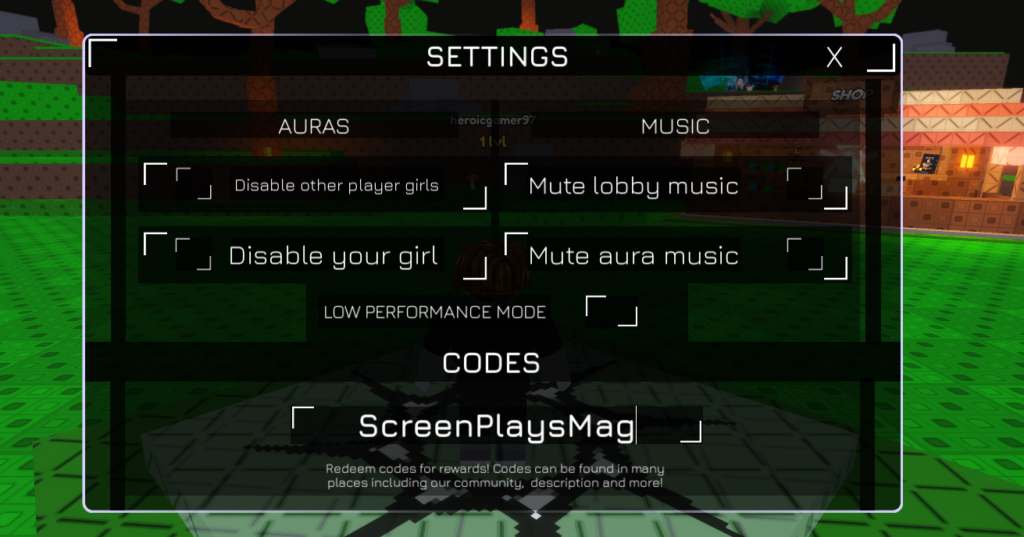
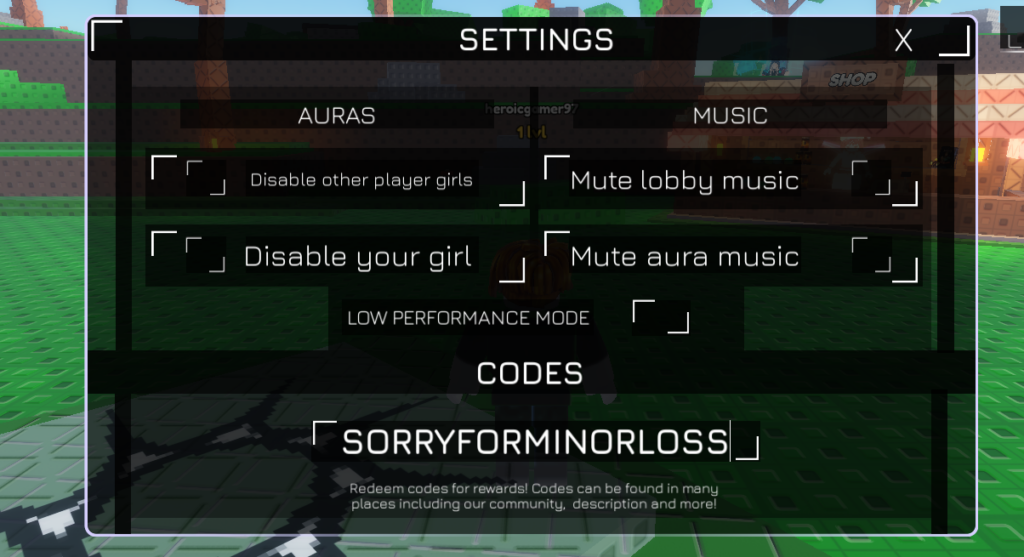
Once you have entered the codes, you will see the green colored notification box on the top right corner, where your rewards will be displayed.
To ensure that there are no errors while redeeming the codes, you must make sure that the codes are typed correctly and have not expired.

