


If you love anime, you will definitely like Anime Hunters Simulator, a new simulation game where you can explore worlds using your favorite anime characters.
You can start the journey slowly by navigating the surroundings and slowly defeating enemies to collect stars and unlock new avatars.
Try using the active codes in the game, which can give you a head start and ultimately aid in your progression.
Active Codes in Anime Hunter Simulator
Here is the list of active codes you can use in Anime Hunter Simulator;
- GACHIAKUTADELAY
- THX10KACTIVES
- 15KLIKES
- THX8KACTIVES
- DAILYREWARD4
- DAILYREWARD3
- DAILYREWARD2
- DAILYREWARD
- 5KFAVS
- AVATARBUGS
- 10KLIKES
- SORRY4SHUTDOWN
- UPDATE1
- 5KLIKES
- 4KFAVORITES
- PASSIVEUPDATE
- FIXEDINDEX
- THX4KACTIVES
- 2.5KLIKES
- FIXEDMERCHANT
- RAIDTELEPORT
- ACCESSORYTYPE
- SRRY4DELAY
- 5KMEMBERSDC
Surprisingly, the developers have granted a large number of codes for players to have a head start and earn free gems, potions, and Spheres.
For more codes in the future, you can also bookmark this Channel. You can also follow StarxRoblox on X, formerly Twitter, for the latest sneak peeks, upcoming updates, gameplay of other Roblox games, and codes.
How To Redeem Codes In Anime Hunters Simulators
The process for redeeming codes in Anime Hunters Simulators is relatively different from other Roblox experiences, but not difficult. Follow the provided steps to do so.
- Launch Anime Hunters Simulator On Roblox
- When you are in the Lobby, search for the NPC named Codes
- Enter the blue zone, a code dialogue box will pop up
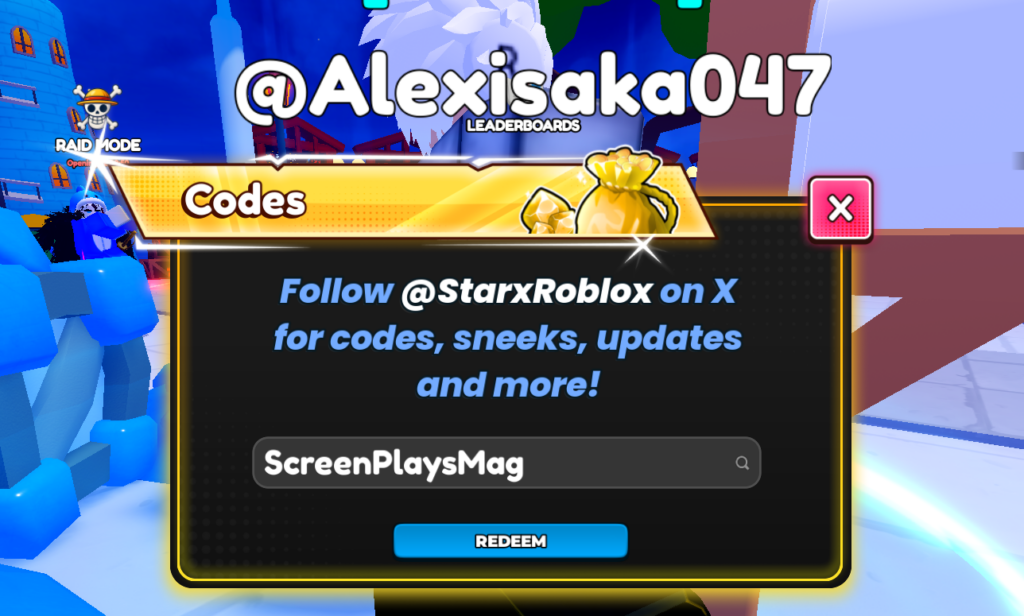
- Hit the Blue redeem button and enjoy the freebies
If any codes we provided didn’t work, please recheck for typos. Additionally, codes in most Roblox experiences expire after a while, so using them promptly is always the best approach.
Also, for those who have redeemed all the costs, you can enter the raid mode and battle with your friends, teleport around different map locations, and focus on increasing the game levels.

