



HIGHLIGHTS
- Players can redeem codes in Lock Game to get cash, which can be used to roll for styles and emotes.
- You need to join the game’s group and follow the creator on Roblox if you want to redeem any working codes.
- To redeem codes in Lock Game, open the game, click the Menu button, go to Rewards, enter a code, and press Enter.
Lock Game is a soccer game on Roblox that takes inspiration from the popular manga series Blue Lock.
Players can play in different positions, like Goalkeeper and Striker, on two teams: home and away.
To choose your position and team, click the Play button, then select your preferred team and position to start playing.
Active Codes In Roblox Lock Game
You can use the redeem feature in Lock Game to get freebies, which can be used to progress faster in the game.
To redeem the codes in Lock Game, players must join the game community on Roblox and follow its creator.
Players can redeem the following codes in the Roblox Lock Game to receive rewards that will make them progress faster.
- YMAYUPDATE – $1000
- THXFOR2KVISITS – $500
All of these codes give you cash, which players can use to roll for new styles and emotes.
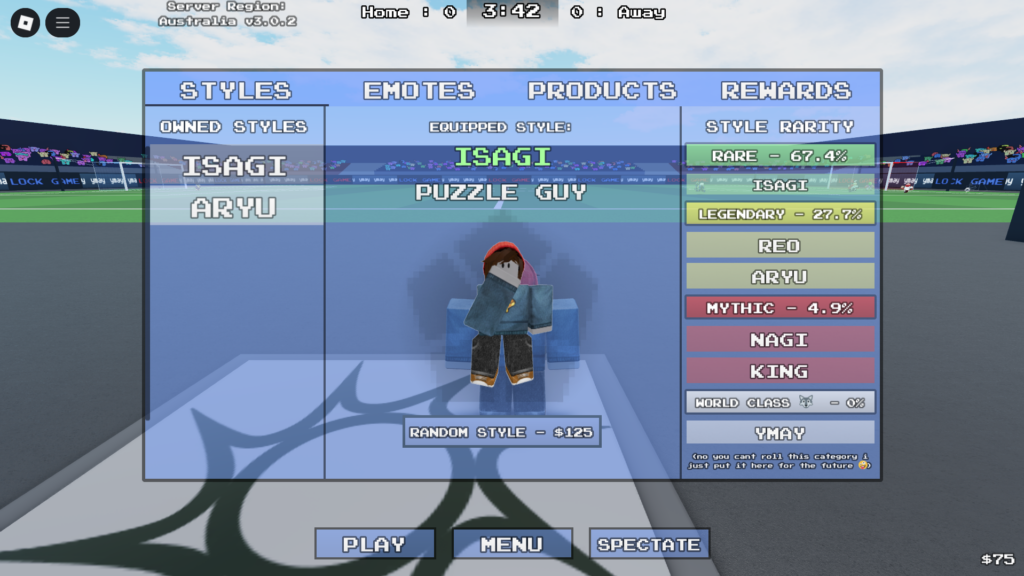
Players can earn cash by playing matches. Wins and losses give cash, but winning gives more than losing does.
The game currently includes five styles divided among three rarities. You will start the game with one style unlocked: the Rare Isagi Style, with a 67.4% drop chance from rolls.
Redeeming Codes In Lock Game
Players can redeem codes by launching the game on Roblox and clicking the Menu button at the bottom.
Further, you need to open the Rewards tab from the menu, where you will see a box to enter codes.
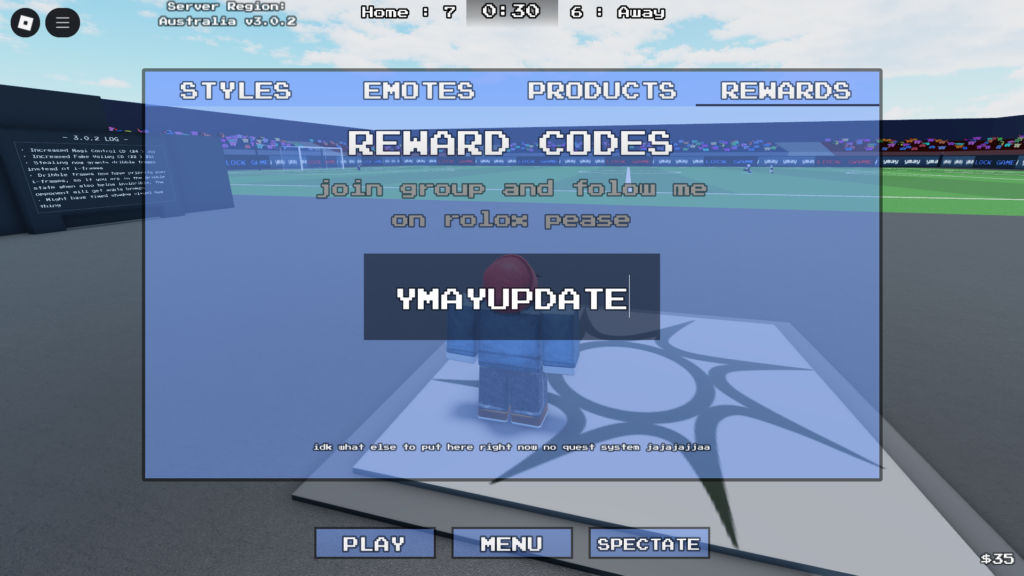
Type a valid code in the box, then press Enter on your keyboard to redeem rewards such as Cash.
If you fail to redeem a code, make sure you entered it correctly and joined the game’s community on Roblox.
Finally, new codes will be added in the future, so make sure you join the game’s Discord server to stay updated.

