


HIGHLIGHTS
- You can unlock the Berserker gold trophy in Doom: The Dark Ages by fully upgrading the Shield Saw, all Shield Runes, and three melee weapons.
- The trophy may not unlock if upgrades are bought slowly or if you restart checkpoints after collecting a Demonic Essence.
- Players can avoid the bug by saving resources and buying all upgrades at once at the end.
Doom: The Dark Ages has several chapters, and each chapter has multiple missions with lots of action and strong enemies to battle.
The game has 29 Trophies or Achievements, including the Platinum Trophy that is only available on PS5.
You can earn half of them by finishing the story, and the rest by finding collectibles, doing challenges, and upgrading gear.
Berserker Trophy In Doom: The Dark Ages
The Berserker trophy in Doom: The Dark Ages is a gold trophy that you can unlock by fully upgrading certain items.
You need to upgrade your Shield Saw, all Shield Runes, and three melee weapons to get this trophy.
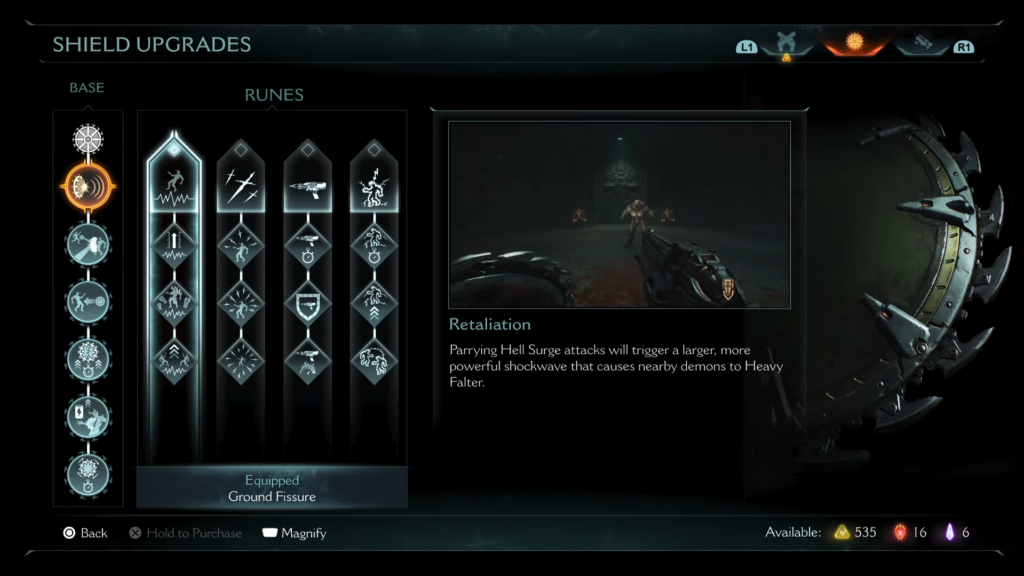
This might sound easy, but many players are having trouble because the trophy can glitch.
Many players have reported a bug where the trophy does not unlock, even after buying all upgrades. This often happens if you buy upgrades one by one across different levels.
Another problem can happen if you restart a checkpoint right after collecting a Demonic Essence.
This might cause the game to stop tracking your progress, and replaying the level will not fix it.
How To Avoid The Glitch
To overcome the bug, it is best to save all your Gold and Rubies and buy all upgrades at once, at the end of the game.
You can also start a new game on easy difficulty, then play through the campaign without buying anything.
Furthermore, by doing so, you can collect everything you need first and then upgrade it all in one go.
Before spending your resources, make sure to create a backup, which you can reload and try again if the trophy does not unlock.
Finally, if the trophy still does not unlock, you may need to delete your save data and start a new game, or wait for a fix from the developers.

