



HIGHLIGHTS
- After updating to version 1.5, many players are seeing the Infinity Nikki Initialization Failed error and can’t open the game.
- The new update is full of bugs and crashes, with some players saying their phones or consoles completely freeze.
- The game is still under maintenance, and everyone has to wait for the developers to fix the problems before they can play again.
A lot of players are running into serious issues after updating Infinity Nikki to version 1.5. The latest update, called Bubble Season, seems to be causing more headaches than excitement.
As soon as players try to launch the game, they’re met with an error message: “Initialization failed, please restart the game.”
But no matter how many times they restart, the message keeps popping up and the game just refuses to open.
Initialization Failed Error In Infinity Nikki
One big issue is the error message that says “Initialization failed, please restart the game.”
This message shows up when players try to open the game, and even if they restart it many times, the error keeps coming back.
Because of this, the game won’t start at all. In some cases, when players press “Confirm,” the screen freezes and nothing works, so they have to close the app completely.
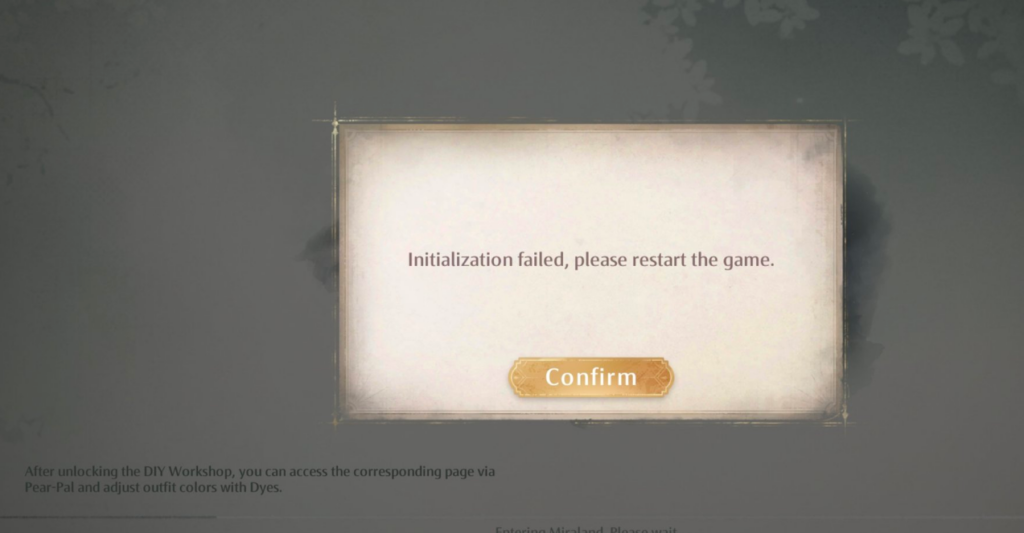
This problem is happening not just on phones, but also on PlayStation 5.
Some players said their whole console froze, and they had to unplug it to reset it. The same thing is happening on Android phone,s too.
Buggy Experience And Constant Crashes
Sadly, Infinity Nikki has had a reputation for being buggy, and version 1.5 has only made things worse.
Crashes and random error messages seem to be very common right now. At this point, players can’t do much besides wait for Infold Games to release a proper patch to stabilize things.
There’s another common issue going around: a “can’t connect to server” error. This could be caused by internet issues or server downtime.
If you’re seeing this message, try switching to a better Wi-Fi network, using mobile data, restarting your device, or checking your router.
Maintenance Still Going On For The Initialization Failed Error In Infinity Nikki
The game still has problems, even after the new bubble season update on April 28. It lets players explore nice places, find secrets, and have fun.
INFINITY NIKKI MOBILE PLAYERS GATHER HERE
they said they're aware of the problem guys ✨✨ hope we can play soon 🥰🥰#infinitynikki #infold #infoldinfinitynikki https://t.co/tUtq7QFbNz pic.twitter.com/s0zrxMuUKO
— sha ❆ (@mahitoroki) April 29, 2025
The game is also now on Steam, and it might work better on Steam Deck. The makers gave a gift to say thank you for waiting.
Players got 500 Diamonds and 1 Resonite Crystal. You can find the gift in your game inbox.
If you still have problems, you can ask for help in the game by using Customer Service. Many players are still waiting for the game to work right.

