



HIGHLIGHTS
- Players can use active codes in Roblox BlockSpin to earn free rewards, such as $500 in cash, which can be spent on items like weapon and car cases.
- To redeem codes, players must access the Code option in the menu, enter the active code correctly, and click “Redeem” to receive free in-game rewards.
- Ensure the code is entered exactly as it is case-sensitive, as even a small mistake will result in an invalid code.
BlockSpin is a Roblox simulation experience where players take on various jobs and battle rivals to become the most powerful gangster in town.
Players can upgrade their character by acquiring new weapons and armor using in-game cash.
In Roblox BlockSpin, players can use a variety of codes to unlock and redeem exciting rewards.
Active Codes For BlockSpin On Roblox
Active codes in Roblox’s BlockSpin usually grant players cash or experience points in the game.
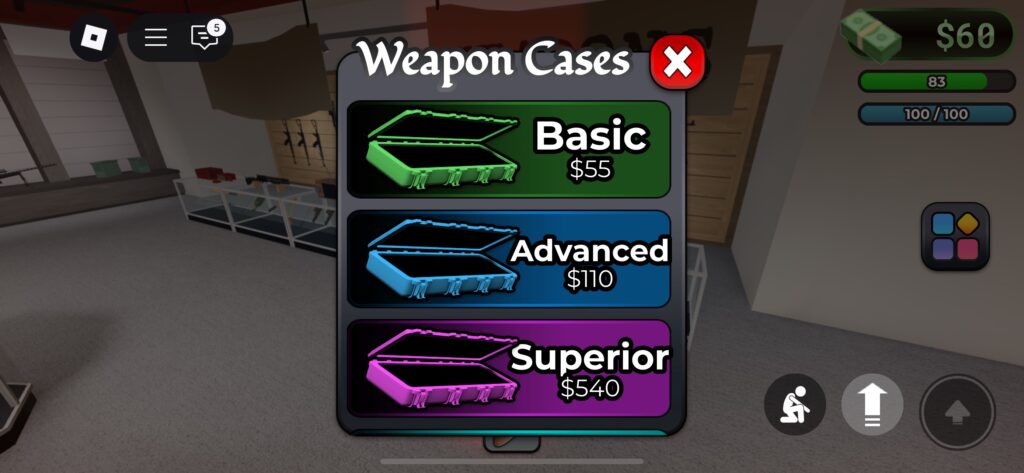
Players can spend money to purchase weapon cases of varying rarities, each containing weapons matching the selected rarity.
Each of these cases costs cash, with the price increasing based on the rarity of the weapon case.
Similar to the weapon case, there is also a car case that grants players different vehicles based on the rarity of the case purchased.
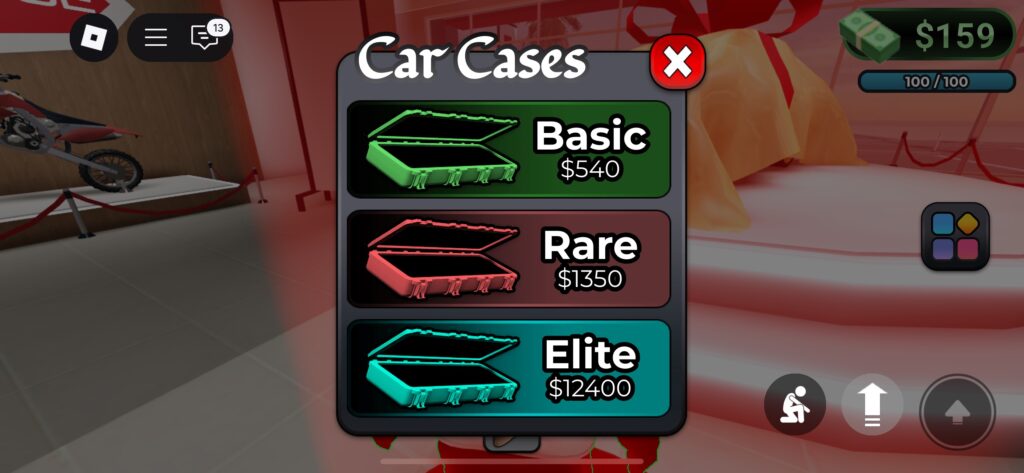
All of these, along with various tasks in the game, require cash, which takes a lot of grinding to obtain or players can choose to spend Robux.
Currently, a few codes are available for BlockSpin that grant players free $500 cash.
- EVERYTHING_10
- BJZ9C1
- C5026Q
- I70IIH
- H268YH
- 03TCW4
- 19OC9L
- EJ48MA
- 4B5D16
- WY5895
- AUS7P3
- 3XQ47A
- 7PD5RA
- 1XCK66
- 2L874Q
- 21LMZ1
- 11U893
- FP320V
- KPZ50U
- 5POI5N
- VOOL44
- 3Y0DB5
- M08SQF
- I6VO85
- 138QW7
- 922J3J
- OB8725
- 9ER2Q6
- R39484
- Y92AEP
- 339R55
- MZL229
- 7ST8X6
- 842E40
- 7ST8X6
- EVERYTHING_CRATE
- 30K_CCU
- UPDATEOMEGA
- 2UFU96
- 39I0HS
Future updates will include additional codes, offering even more rewards and enhancing the gameplay experience.
How To Redeem Codes In BlockSpin
Players can redeem codes by navigating the menu on the right side of the main screen.
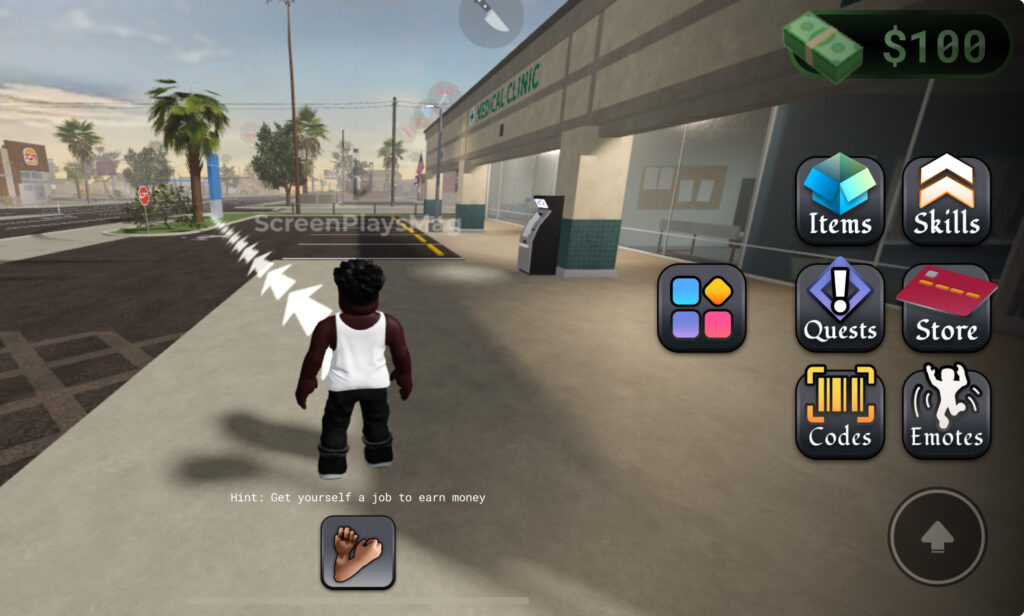
Players can find the Code option alongside other choices such as Items, Skills, Emotes, Store, and Quests.
Click on it to open a prompt where players can enter active codes to get free in-game rewards.
Enter the active code and click “Redeem” for it to work, granting players free items.
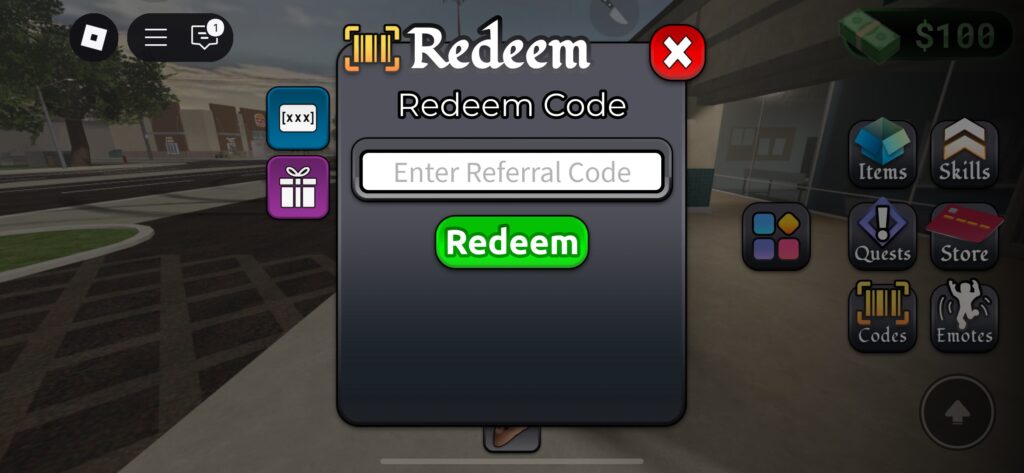
Players should ensure they enter the code exactly, as it is case-sensitive, and even a minor mistake will result in an invalid code screen.
If the code isn’t working, try changing servers. If it still doesn’t work, the code has most likely expired, as they are time-limited.

