



HIGHLIGHTS
- Shinobi Rising on Roblox just offers limited codes that can grant you a few hundred cash.
- To redeem the codes, you must launch the Menu via M Key and head to the settings tab.
- You can try changing the server and ensure your account is at least 90 days Old to successfully redeem the code.
Shinobi Rising is a newly released Permadeath game on Roblox, which was initially created back in 2022.
In the game, you can team up with friends or even opt to play solo as a Ninja and hop into ranked matches or World missions.
No matter which mode you play, you will definitely require some help, especially if you want to upgrade your character, which can be possible using codes.
All Working Shinobi Rising Codes
Shinobi Rising’s latest update has just been released, which grants you free codes and new modes.
Here are all the active codes you can use in Shinobi Rising;
- 100PLAYERS! : Redeem for freebies
- UPDATEPART1 : Redeem for 200 Cash
Unfortunately, unlike other games on Roblox, your account must be at least three months old to access the game, or else you will be kicked out of the game.
So, ensure you meet the requirements before jumping into the game, if you want to redeem the code, create a superior skill tree, fill your inventory, and be the last one to survive among the targets.
How To Redeem Codes In Shinobi Rising
You can redeem codes easily in Shinobi Rising by following the step-by-step guide;
- Launch Shinobi Rising On Roblox and Click Play
- Tap M to access the menu
- Click on the Settings button from the Menu Wheel
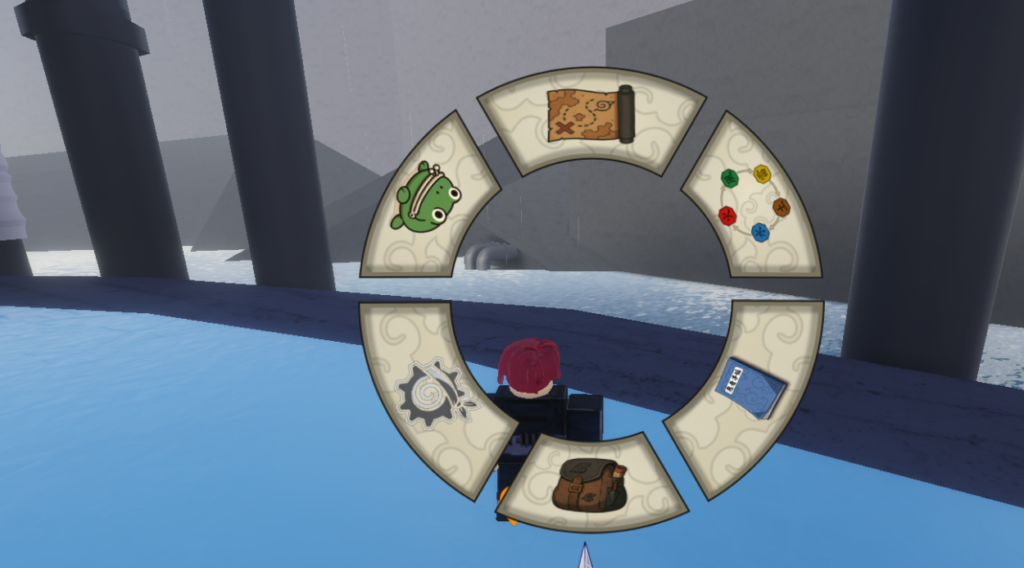
- Enter a Valid Code on the Dialogue Box
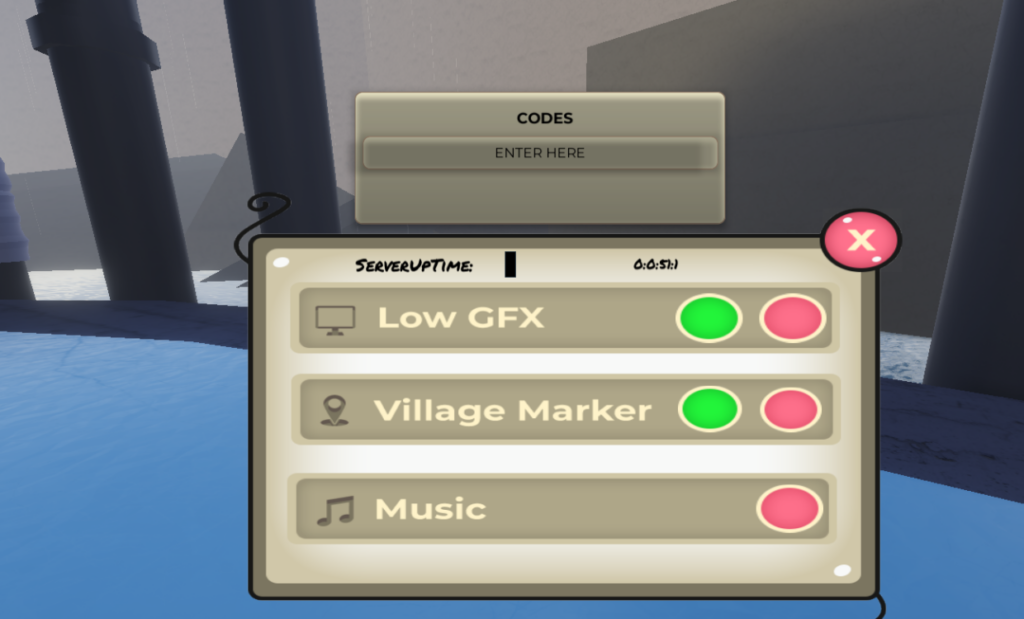
- Claim your free rewards
If the code does not work, you can also try changing the server from the Menu or relaunching the experience.
With more updates, you will get hands on new codes which can grant Cash. So, keep yourself updated with new patches and logs via Discord Channels, In-game banners and Game descriptions.

