


HIGHLIGHTS
- Players can redeem codes to earn in-game rewards, allowing them to progress faster in Type Rune.
- To redeem codes, players must open the gift option on the main screen, enter the active code correctly, and click “Redeem” to receive free in-game rewards.
- If the code isn’t working, ensure it’s entered correctly, as it is case-sensitive. Try changing servers, and if it still doesn’t work, the code has likely expired due to its time limitation.
Type Rune is a PvP Roblox experience where players embark on quests, battle powerful bosses, and earn rewards.
Learn and unlock powerful new skills as you rank up your avatar to face formidable enemies.
Players can redeem a variety of codes in Type Rune to unlock exciting rewards for free.
Active Codes For Type://Rune On Roblox
Active codes in Roblox’s Type Rune typically reward players with in-game currency and skill points.

These codes are especially useful for new players, as starting in this game can be incredibly challenging and time-consuming.
However, players must reach a certain rank for the code to work; otherwise, they will receive a message stating their rank is too low.
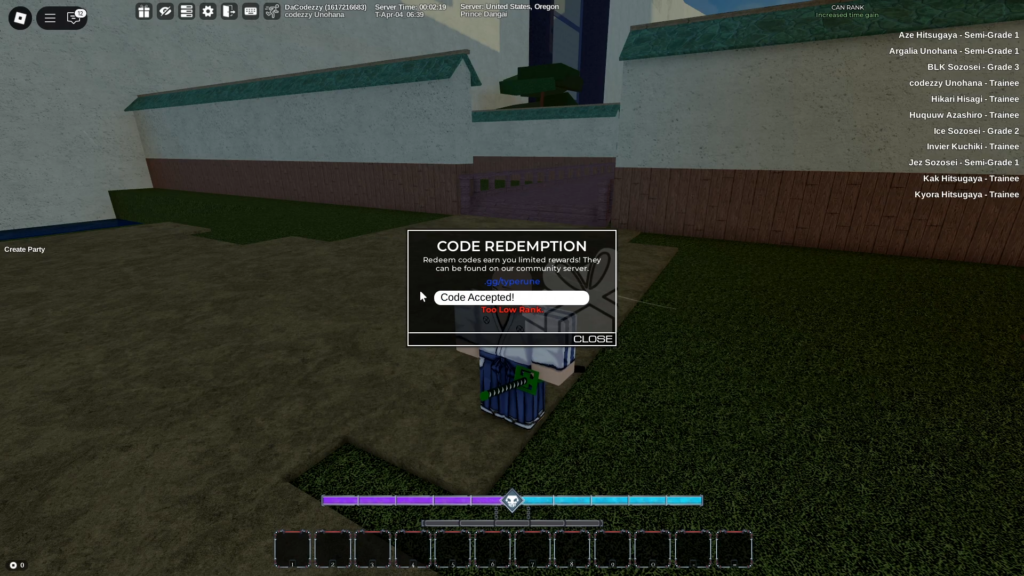
Currently, a few codes are available for Easy Dungeons that grant players free rewards.
- reopen
- 3kdc
- afkworldbuffs
- sorryforclose
- typerunesupremacy
- 400cc
- evenmorebugfixes
- jayyiscool
- getinafkworld
- 2kdc
- ongodzillaghoulreworstgameeveriwouldratherplaybloxfruitsitsinsanealittlebit
- thisbalancepatchwasawasteofmytimegameisdyingthesecondtypesoulrereleases
- huecofixed
- sorryforclose
- mballpeople
- testercode1
- imtired
- 2klikes
- 10tailcode
- apologyfromsento
- 1klikes
Future updates will include additional codes, offering even more rewards and enhancing the gameplay experience.
How To Redeem Codes In Type Rune
Players can redeem codes by clicking the gift icon at the top left of the main screen.

Click on it to open a prompt where players can enter active codes to get free in-game rewards.
Enter the active code and click “Redeem” for it to work, granting players free items.
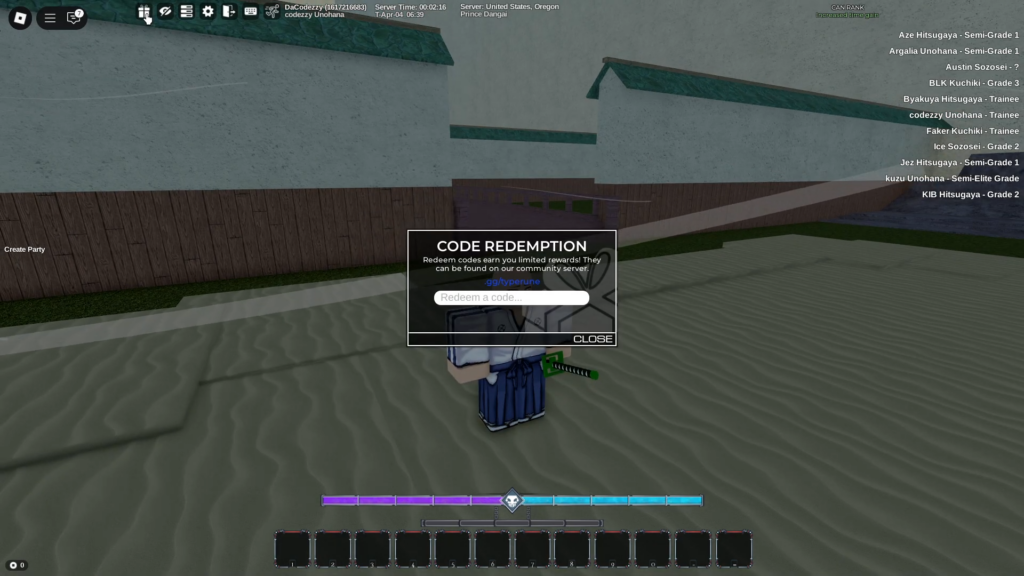
Players should ensure they enter the code exactly, as it is case-sensitive, and even a minor mistake will result in an invalid code screen.
If the code isn’t working, try changing servers. If it still doesn’t work, the code has most likely expired, as they are time-limited.


