


HIGHLIGHTS
- Players face major Clash mode issues in LoL, including full client crashes and unresponsive error messages, especially in the EU region.
- Fixes include updating display drivers, disabling proxy settings, clearing the client cache, and removing corrupted configuration files causing data errors.
- Installing the latest Visual C++ Redistributable and running Riot Client as administrator may restore Clash functionality for affected players.
League of Legends (LoL) is a popular multiplayer action role-playing game developed by Riot Games.
It features a monthly tournament called Clash, a competitive, tournament-style mode designed for pre-made teams of five players.
Recently, Clash mode in LoL has not been working properly, most probably after the 25.08 Patch and has faced significant issues, leading to widespread frustration among players.
Clash Gamemode Not Working In LoL
Many players in the EU region have reported that the Clash game mode has not been working properly in LoL.
The game causes the client to crash entirely when players attempt to join a Clash team, making the mode unplayable.
Additionally, some players encounter an issue where they receive an error message with no option to close it.
These players are unable to navigate any Clash menu or even access the game’s lobby.
Solutions For The Clash Mode Issue In League Of Legends
There can be various reasons why the game mode isn’t working properly, but players can follow these steps to try and resolve the issue.
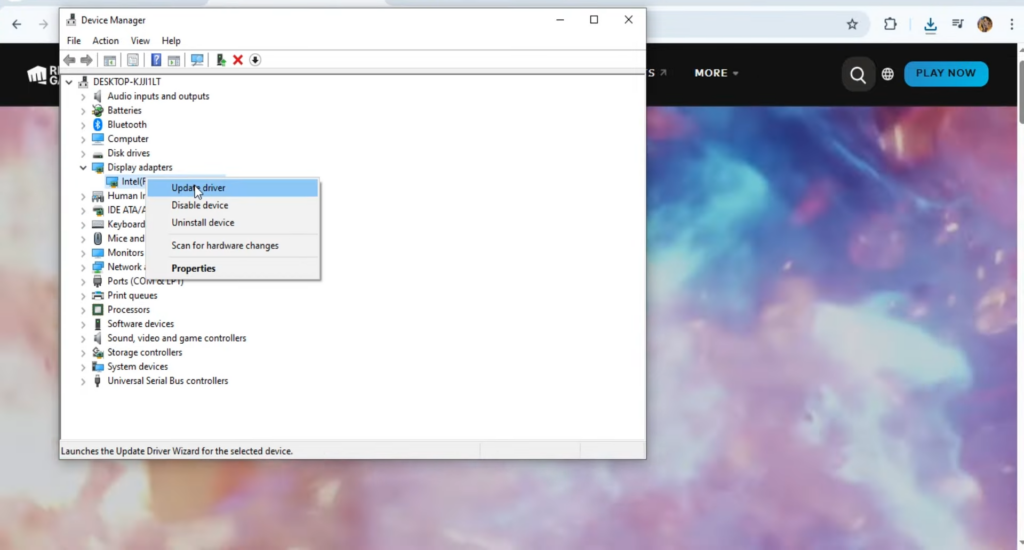
Initially, Make sure your graphics drivers are up to date by navigating to the Device Manager, where they can be found under the Display Adapters section.
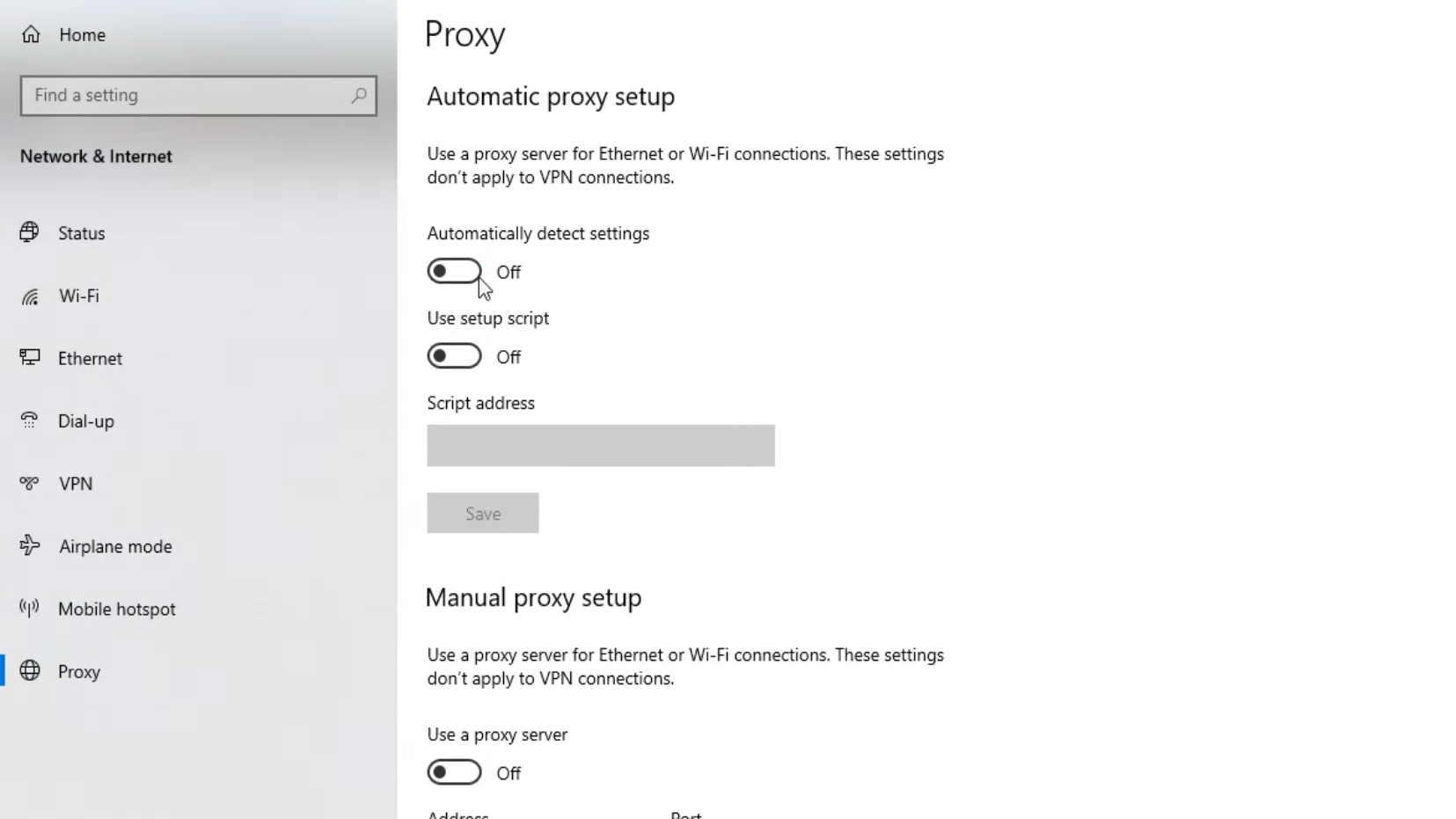
Within the Network and Internet settings, go to the Proxy menu and disable both “Automatically detect settings” and “Use setup script.”
Furthermore, players can try clearing the League client cache, which can be found in the Config folder inside the game’s installation directory.
You can also delete the files LeagueClientSettings.yaml and PersistedSettings.json, then restart the Riot Client.
This will clear any corrupted Clash or team configuration files that may be causing data retrieval errors, potentially resolving the issue.
You should install the latest version of the C++ Redistributable runtime library by visiting the official Microsoft website.
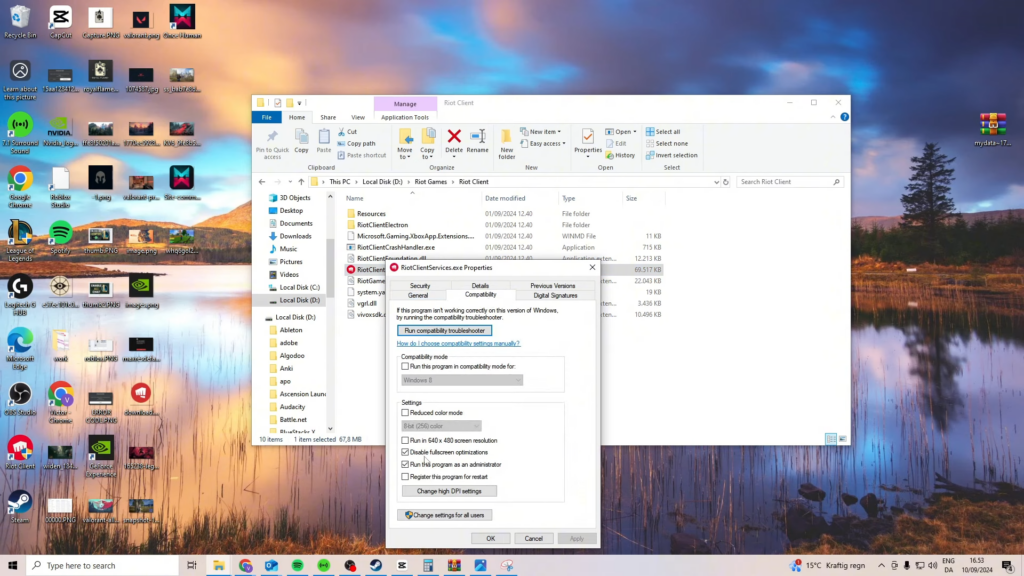
Finally, players can run the Riot Client as an administrator before launching the game and joining the monthly Clash tournament.
If the issue persists after restarting the game, relaunching the client, and using the recommended fixes, waiting for the next Hotfix is the ultimate solution.

