



HIGHLIGHTS
- Elden Ring Nightreign players have reported stuttering, frame drops, and freezing issues that completely disrupt the gameplay experience.
- You can set the quality presets to high by navigating to the in-game graphics settings, and can set high priority for Nightreign via the task manager.
- While FromSoftware Inc. is working on an official patch, you can apply a few minor changes to overcome the existing issue.
Elden Ring: Nightreign has officially launched worldwide, and within its first hour of release, it has already reached 300,000 players.
The game offers eight unique heroes, each with distinct abilities, and challenges players to survive two nights before facing a powerful Nightlord.
With the increasing number of users in the game, players are facing multiple issues, including stuttering, freezing, and low frame rates (FPS).
Stuttering Issues In Elden Ring Nightreign
Many Elden Ring: Nightreign players are experiencing stuttering, freezing, and FPS drops, especially on PC.
While these issues are not very new to the Elden Ring series, as Shadow of the Erdtree also faced multiple issues like crashing on startup and displaying a black screen.
This existing issue has made it quite difficult for players to enjoy smooth gameplay, creating lag and unoptimized loading, particularly for indoor scenes.
Additionally, the game’s opening cutscene is locked at 30 FPS, an unexpected limitation for a modern title.
Even high-end systems, such as top-tier processors, powerful GPUs, and advanced cooling solutions, are struggling to maintain stable frame rates throughout the experience.
Potential Fixes To Try Before The Official Hotfix
There are a few temporary fixes that you can try to overcome the existing issue until the official hotfix is launched.
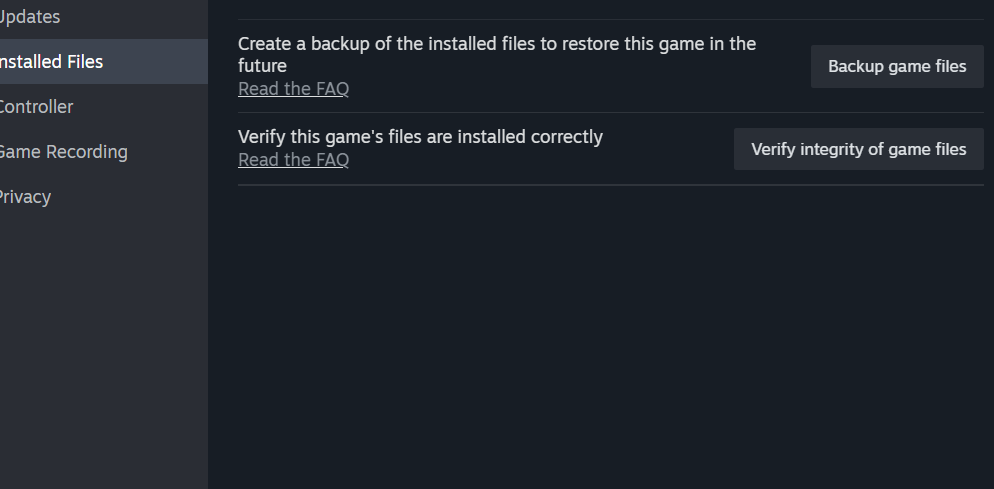
Verify Game Files: In Steam, go to Library- Right – click Elden Ring: Nightreign- Properties – Installed Files – Verify Integrity of Game Files.
Enable V-Sync: Turning on V-Sync in your GPU settings can help stabilize frame rates.
Check for System Requirements: Make sure your system meets or exceeds the game’s recommended requirements.
Adjust Task Manager Settings
To improve performance in Elden Ring: Nightreign, you can adjust its priority via the Task Manager by following these steps:
- Open Task Manager
- Go to Details Tab
- Search for Elden Ring: Nightreign and then left-click on it
- Click on Set Priority to High
Change Launch Options
- Open Steam and go to the Game Library
- Right-click on Elden Ring: Nightreign and select Properties
- Under the General tab, find Launch Options
- In the Launch Options box, copy and paste -dx11
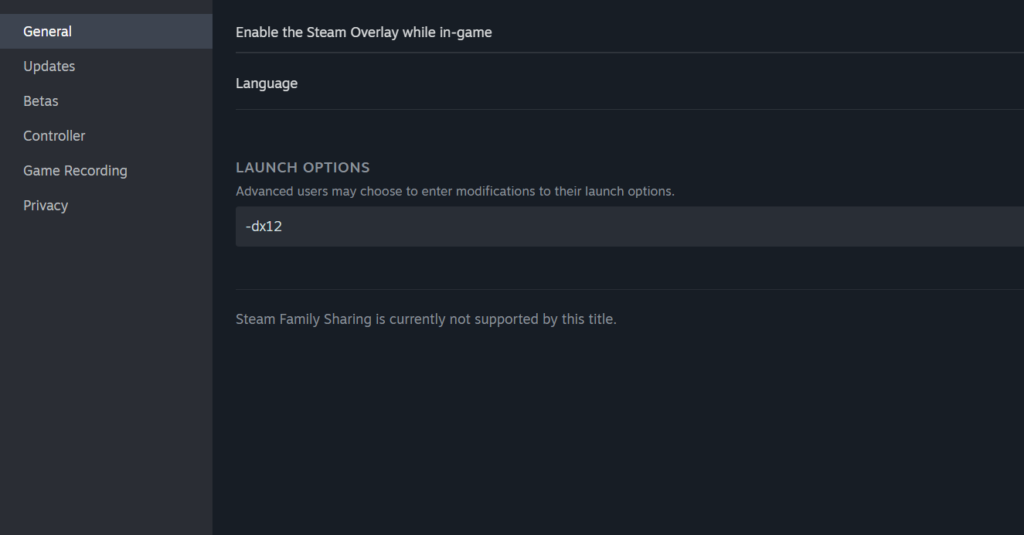
After making the changes, you can try to launch the game, and if you still find the issue, you can change the launch option to -dx12.
Furthermore, players can also ensure that their drivers are up to date and make adjustments to the graphics settings by setting all elements to high or medium, as desired or according to the device’s preferences.

